Friday, April 22, 2011

Glencoe

Here is a great resource that I found out about from Larry Ferlazzo.

It is a website hosted by the textbook company Glencoe.  The content is intended to be used in conjunction with their textbooks.  However, it is not necessary to possess the textbooks in order to take advantage of some of their online resources.

Glencoe’s landing page looks like this:

Glencoe McGraw-Hill

As you can see, in the corner is a box you can use to access their online resources.

There are many subjects available.  The subject that interested me was Social Studies.  Selecting Social Studies takes you to this page:

Social Studies

I have opened up the “World History” tab.  You can see that there are resources for three text books available within World History.

Selecting “Journey Across Time” brings you to this page:

glencoe.mcgraw-hill.com sites 0078750504

You can see that there are many resources available.  Some are better than others.  I would recommend the “In-Motion Animations,” and the “Student Web Activities.”  However, perhaps the best resource on this site is the “Spotlight Videos.”

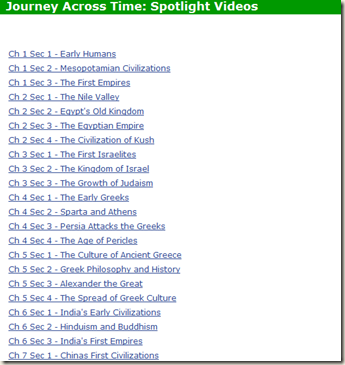
There is a large library of videos available.  Here is a screen shot showing just some of them.
Social Studies

Wednesday, April 6, 2011

Hip Hop Songs

Students in my music class composed hip hop songs.

They used Myna to create the background music and beats. Myna is a free online audio editor. It includes a library with many audio samples that can be stitched together.

This student used 19 different audio clips in her production.

Then, the students used Ujam to record their voices. They used headphones to listen to their music on Myna while they sang.

Myna can be used for voice recording, but I prefer Ujam because it has many neat effects that can be utilized to improve and distort the sound of your voice. The only drawback is that Ujam has a one minute time limit. If necessary, this problem can be solved by having students record two different sessions and then using Myna to paste them together afterwards.

Here is one student`s voice, as recorded on Ujam, before he added his music.

Having recorded their voices, the students download the MP3, and then uploaded it to Myna. They then did any necessary adjustments, such as changing the tempo, to match the vocals to the music.

Here is the song created by one student who actually did not know what to write about, so she read from the novel, `The Giver.`

Thursday, December 9, 2010

GoAnimate

GoAnimate is a great site for creating animations.

It offers a nice balance between simplicity to use and complexity of features. My English students all enjoyed creating animations.

Here are a couple of examples.

GoAnimate.com: Ghost squad Alpha squadron by Ghost239


Like it? Create your own at GoAnimate.com. It's free and fun!

GoAnimate.com: A day at the vending machine by Ryan Marcoux


Like it? Create your own at GoAnimate.com. It's free and fun!

Thursday, December 2, 2010

RSA Animate

Here is an interesting animation.

Thursday, November 25, 2010

Dialogue Activity

Here is an activity my English students did in order to practice properly writing quotations.

Much of it was borrowed from a lesson plan I found on the National Writing Project website.  On their site you will find a variety of situations that would involve conversations.

I instructed the students to work in pairs.  Each duo selected a scenario, then composed a dialogue.  At first, the students tried using a website called, “Collabedit,” which is supposed to allow multiple authors to collaborate in real-time on a single document.  Unfortunately, we found this website to be too buggy; the students encountered many glitches and error messages.  So, we had to settle on using good old Microsoft Word.

Writing collaboratively was fun and the students were very motivated to write.

Friday, November 19, 2010

Face Movie

Picasa has an interesting tool for making slideshows that focus on faces in the photos.


Saturday, November 6, 2010

Middlespot

When students complete online projects, I ask them to post the results to their blogs.

The problem is that there are often technical difficulties with this ostensibly simple task.  For example, Blogger and Wordpress often do handle embed codes properly.  Sometimes, for random reasons I do not understand, Blogger will request that an account be verified with a cell phone number.

Also, Blogger can be frustratingly restrictive in the way it handles photos and such.  Wordpress can be intimidating to uninitiated students with it cluttered interface.

My solution is to try using Middlespot.  Middlespot allows users to post many media formats, including embed codes, photos, music and videos onto a blank workspace.  The workspace is larger than the visible portion of a browser, so visitors can scroll around the area.

This site will provide a more interesting way for students to display their work.  Hopefully.  It’s still in beta, so there might be glitches.

middlespot