
The students created Glogs in History. Some students are studying Ancient Rome; others are looking at the inventions of the Industrial Revolution.
I am continually endeavouring to teach the students the importance of citing sources. They utilized photos from the Flickr Creative Commons collection. Then, they indicated the author of the photo and included a hyperlink to the photographer's Flickr page.
Enjoy these two examples.
Showing posts with label flickr. Show all posts
Showing posts with label flickr. Show all posts
Friday, March 26, 2010


Tuesday, October 27, 2009
Stupeflix
For some time, I have been looking for an online alternative to Microsoft Movie Maker. Essentially, I wanted a tool to create slideshows, with music (created by the students) and photos. Additionally, I wanted a program that would allow my students to import public photos from the web, such as, from Flickr. This would alleviate the hassle of downloading photos and then uploading them again.
My search was more difficult than I anticipated. I assumed that there would be many online slideshow applications that would suit my needs. I began to collect them on Diigo. However, with each app that I tried, I found something lacking.
Photosnack does not include music.
Clipgenerator only uses music from their own library and does not import public photos from Flickr.
Magtoo and Rockyou let users import public photos from Flickr, but these websites only use songs from their own library.
Vuvox allows users to use their own music and to import photos from Flickr. Strangely though, the final product requires viewers to advance the photos manually.
Photopeach allows users to upload music and pictures, but does not import public pictures from Flickr.
Masher uses their own library of music and video clips.
I was about to give up, when finally, I found Stupeflix. Stupeflix is the only slideshow application that does the two simple things that I want it to do. Users can upload their own song, and users can search for public photos on Flickr to import. Now, about the name…
Tuesday, October 20, 2009
Library of Congress
One of the requisite skills in any History class is the ability to analyze photographs.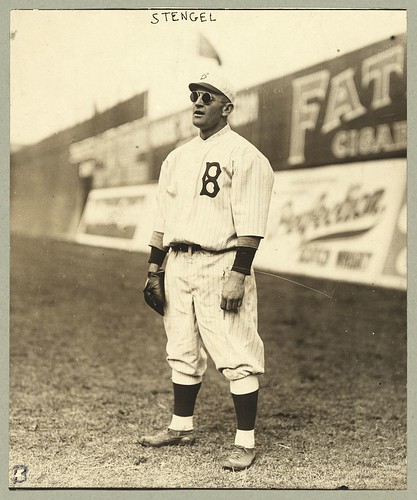
In a previous post, I wrote about a website, called Image Detective, that provides a great activity for students to practice analyzing photographs.
I will describe another activity that practices this skill. The students in my History class completed this activity and they seemed to enjoy it.
Step 1: Create an account at www.flickr.com.
Step 2: Go to http://www.flickr.com/photos/library_of_congress/.
Here you will find thousands of historical photographs. Flickr users can highlight sections of the photographs and post comments on the photographs. It is actually amusing to read what people have written.
Step 3: Choose a photograph and comment on some interesting detail of that photograph.
Wednesday, September 16, 2009
Edmodo Again
This is another post on the topic of Edmodo.com. After some initial hesitancy, I am really liking this website now.
Edmodo provides me with a central repository to collect all of my assignments. It allows me to communicate work and homework with students and parents.

Edmodo - Home via kwout
One of the side benefits of Edmodo is that it provides me with a concrete record of what I have assigned. For example, I posted an assignment on Edmodo in which I instructed students to write a story using the website, 5 Card Flickr. Furthermore, I instructed students to describe the process of using the website. Many students simply wrote a story and neglected to include the requisite description on their blog. With my Edmodo post, I had written proof of my instructions. The students could not claim that I had not told them to write on their blogs; they all had the opportunity to read the directions for the assignment on Edmodo. Edmodo eliminates the misunderstandings of oral communication. All my assignments are described in writing.
This process also provides me with an opportunity to refine in detail what I want out of each assignment.

